
WILSON Release Notes - R26.3
Hello WILSON users 👋
This release note provides a brief summary of recent product updates and new features.
📦 This release includes:
- Mobile App: New working time dashboard
- Mobile App: Flexibly manage and edit activity properties
- Billing: Calculate overtime per shift
- Billing: Consider advance payments as gross or net deductions
- ⚠️ Mobile App: New Version
Mobile App: New working time dashboard

With the new Working Time Dashboard and a home widget, employees gain greater transparency about their working hours, premiums, and hour balances in the mobile app.
In the home widget, employees can immediately see on the start screen how many hours they have already worked in the current month, what their monthly target is and what their current overtime balance looks like.
In the Working Time Dashboard, they also find a detailed monthly overview with additional information on:
- hours already worked
- upcoming scheduled shift hours
- overtime and connected accounts
- premiums and other payroll-relevant values
- their monthly timesheet
This allows employees to better understand where they currently stand in the month and how their working time is expected to develop.
Mobile App: Flexibly manage and edit activity properties
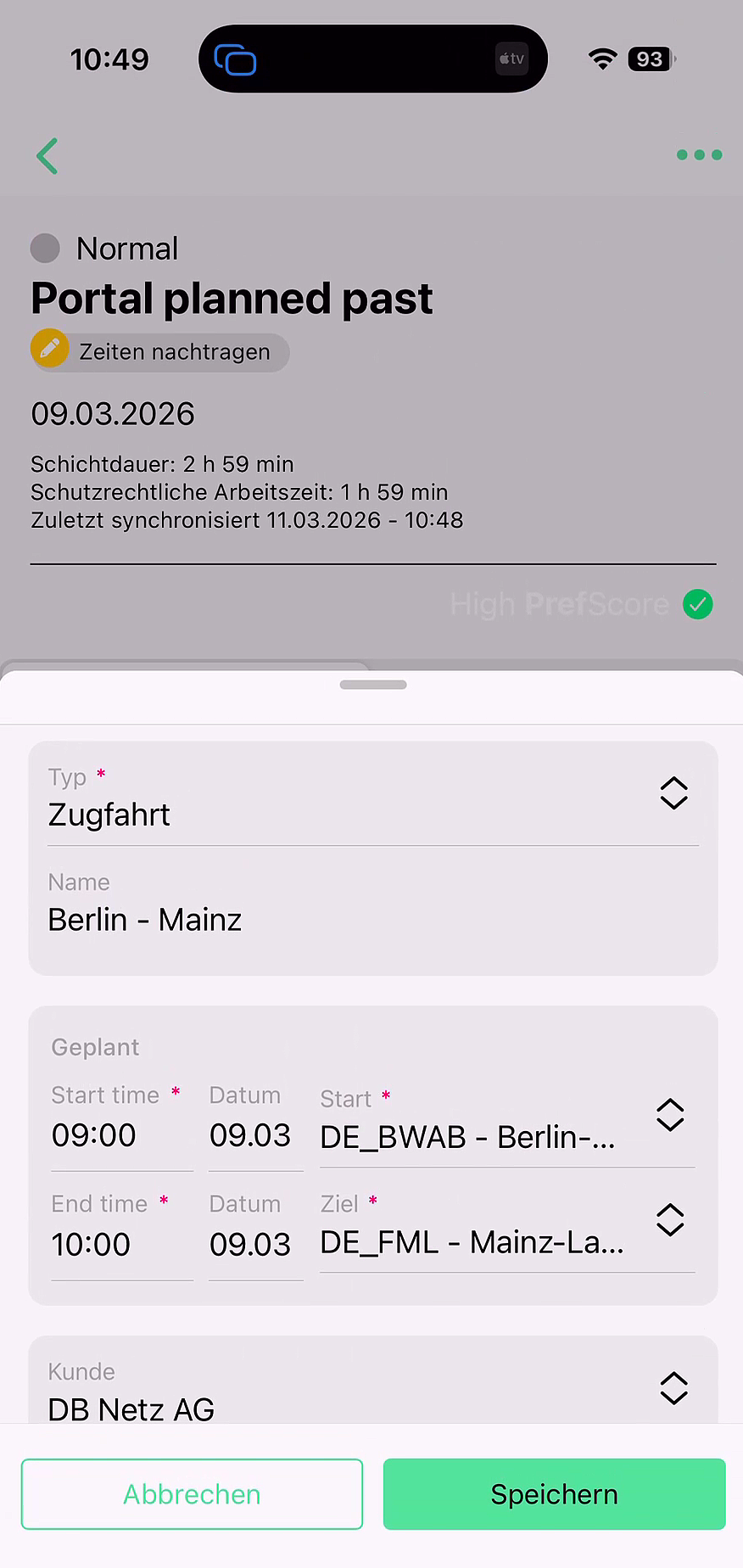
The portal feature is now also available in the mobile app: You can define which activity properties are visible or hidden in the app. In addition, you can decide which fields mobile users can only view or also edit. This allows you to tailor WILSON even more precisely to your internal processes.
At the same time, we have completely redesigned the layout and the process of creating and editing activities in the app. Operational teams now benefit from a unified, intuitive interface that dynamically adapts to the settings defined in the portal.
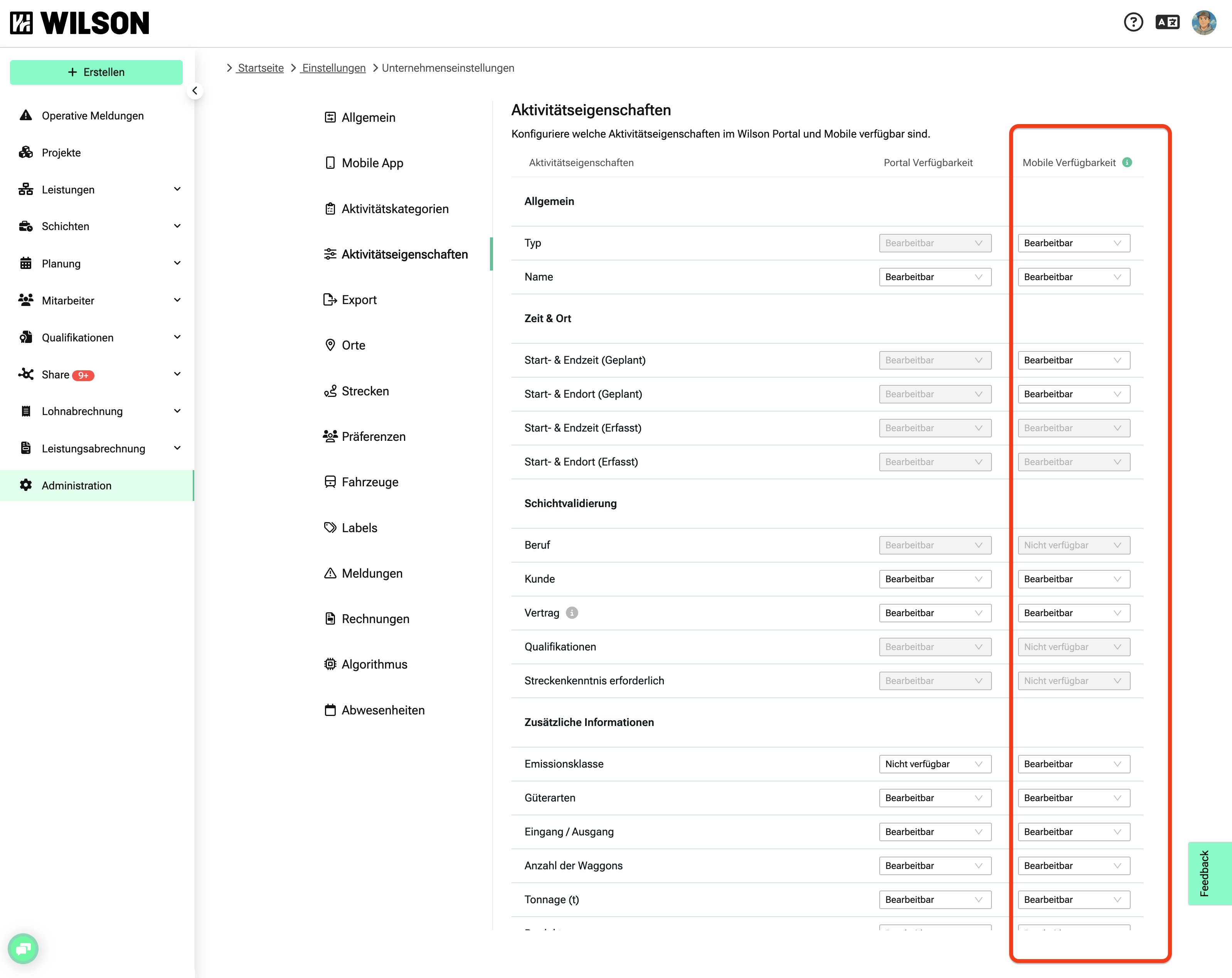 |  |
You can find the corresponding settings under Administration > Company Settings > Activity Properties in the “Mobile Availability” column.
For more information, see the Help-Center under: Aktivitäten in der mobilen App
Billing: Calculate overtime per shift

The overtime billing rule has been enhanced: Overtime can now be automatically calculated and included per shift in invoicing.
If you’d like to activate this new billing rule for invoicing your customers, simply contact your dedicated support representative.
Billing: Consider advance payments as gross or net deductions
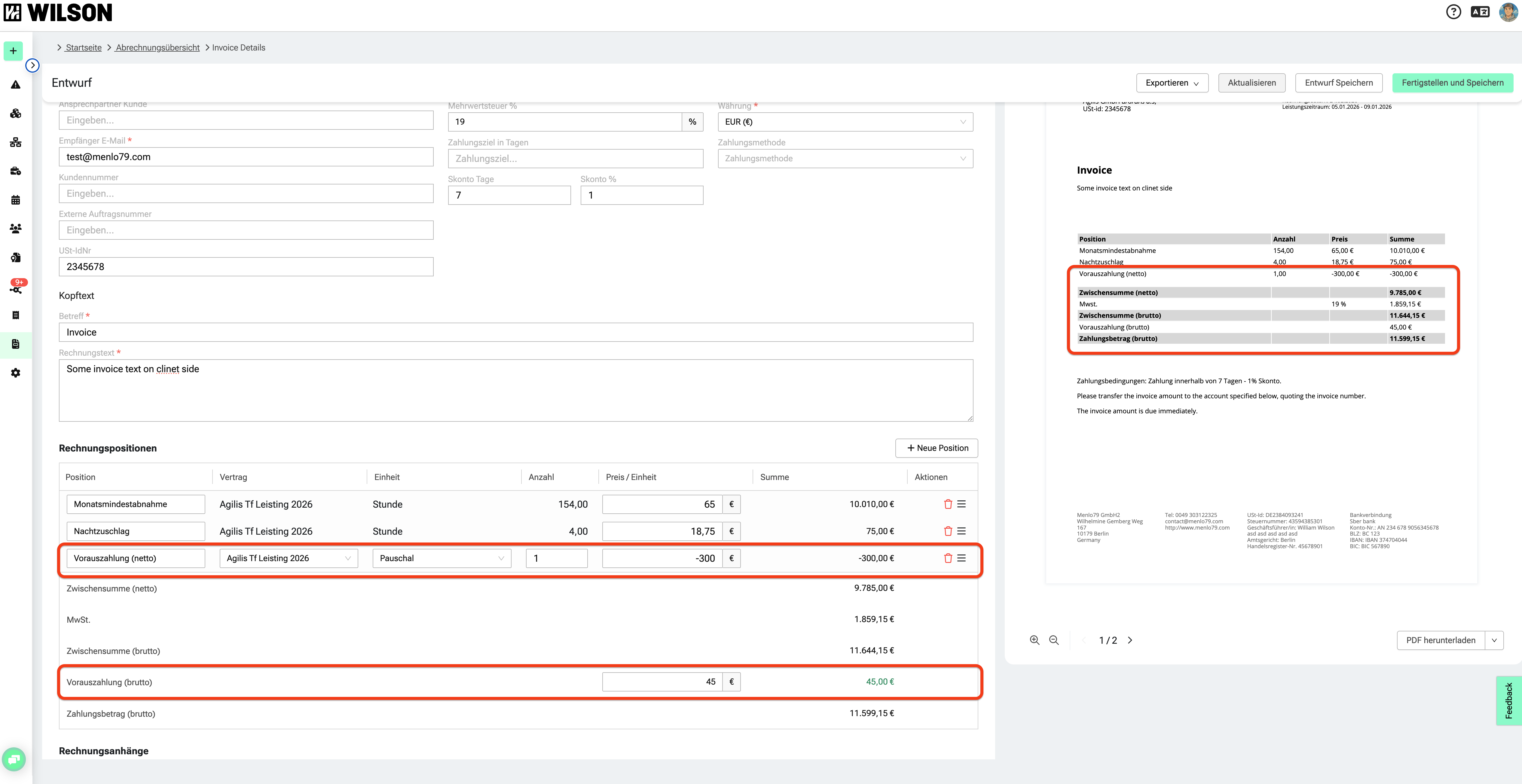
Advance payments can now be applied in invoices either as a net or gross credit.
- Net advance payments are deducted using a negative invoice line item.
- Gross advance payments can be entered as a positive amount in the “Advance Payment (Gross)” field.
Both values appear on the invoice PDF only if they are actually entered.
⚠️ Mobile App: New Version
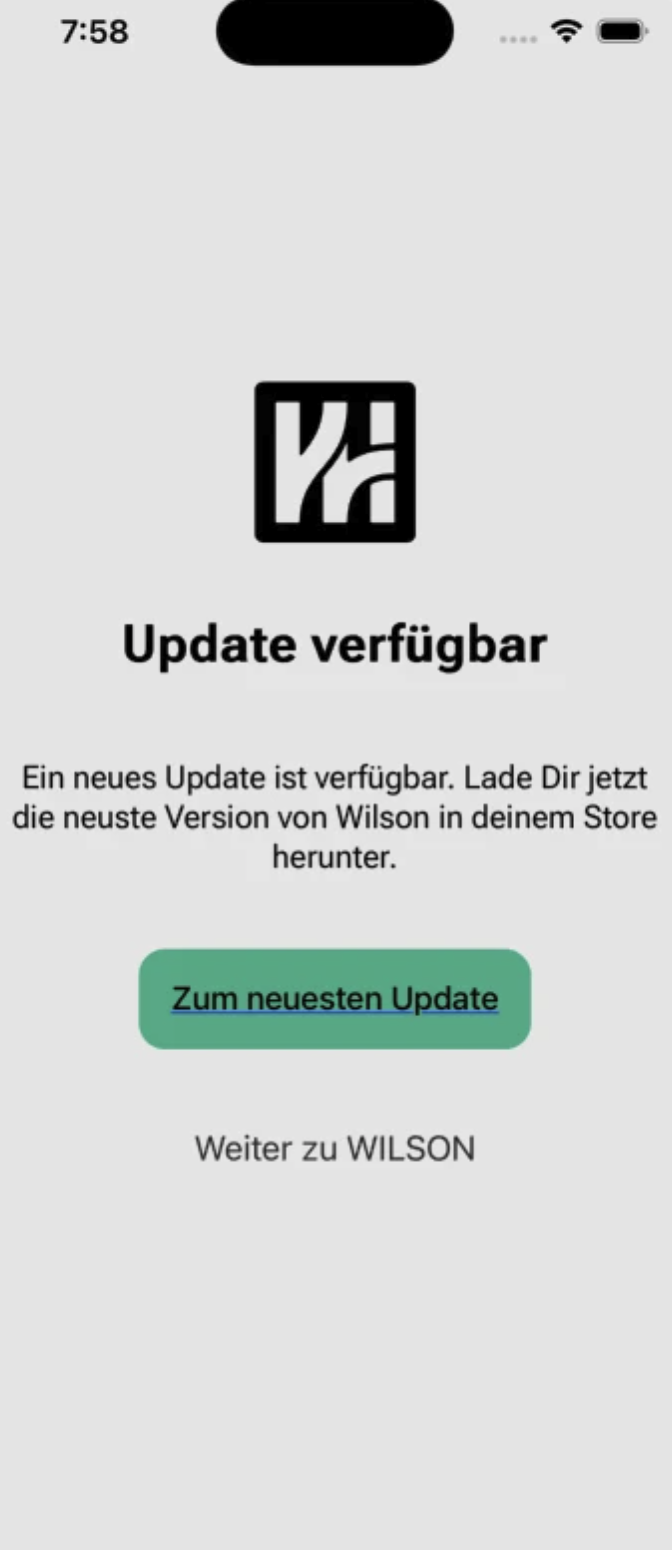
To use the new functions described below in the mobile app, it must be updated to the latest version.
Users who are still on an older version will see an update notification screen when opening the app. This notification can initially be skipped.
The new version is expected to be available starting March 19.
Mandatory Update
After 7 days, this update will become mandatory — the notification screen can no longer be skipped, and the app must be updated to continue being used.
Upcoming features we’re working on 🏗️
- Qualifications: Qualification profiles
- Billing: Define a combination of “Invoice” + “RBU” per business relationship
- Billing: New shift-based RBU format
- and more ...
If you have questions or feedback about the new features, our support team is happy to help.
Enjoy the improvements!