
WILSON Release Notes - R26.1
Hello WILSON users 👋
This release note provides a brief summary of recent product updates and new features.
📦 This release includes:
- Projects: Full transparency on open hours and unbilled orders within projects
- App: Mandatory Selection of Cost Center When Booking Shifts
- App: Simplifications in live shift recording
- New invoice statuses: ‘Sent’ and ‘Reminder’
- Automatically mark invoices as ‘Overdue’
Projects: Full transparency on open hours and unbilled orders within projects

With the enhanced project overview, you can now clearly track which hours in your construction projects have already been recorded and which orders are still open or not yet invoiced. In addition to project ID, cost center, and project period, the project list now also shows the associated hour contingent. This gives you immediate visibility into how many hours have been ordered across all related orders and how much of that volume has already been covered by recorded hours.

Targeted visibility of recorded and billable hours
Using the column settings, you can flexibly decide whether you want to display only recorded hours, only billable hours, or both. This allows you to quickly identify where work has already been performed and where billing steps are still pending.
Clear insight at order and contingent level
From within a project, you can open individual orders and review their details. For each order, you see how many hours have been reported and whether these hours have already been invoiced. Remaining contingents are displayed transparently, making it easy to spot situations where hours have been recorded but not yet billed. This enables you to act early, align billing processes, and maintain control over budgets and project progress.

The result:
fewer manual follow-ups, greater planning certainty, and improved control over hours, budgets, and billing status across your ongoing construction projects.
Further Information:
Find more information in the hand book: https://support.wilson.menlo79.com/en/article/project-overview-and-hour-contingents
Mandatory Selection of Cost Center When Booking Shifts
For companies that require each shift to be linked to a specific cost center, we’ve introduced a new option in the company settings of WILSON.
Configuration via Company Settings
You can now define that operational staff must not only select a contract when recording shifts, but also assign a cost center. This configuration is managed centrally in the company settings and applies to all shift entries made in the mobile app.
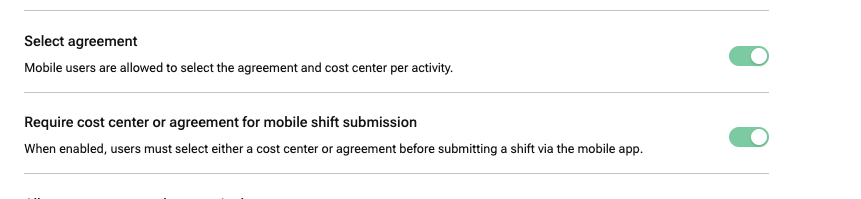
Clear guidance in the mobile app
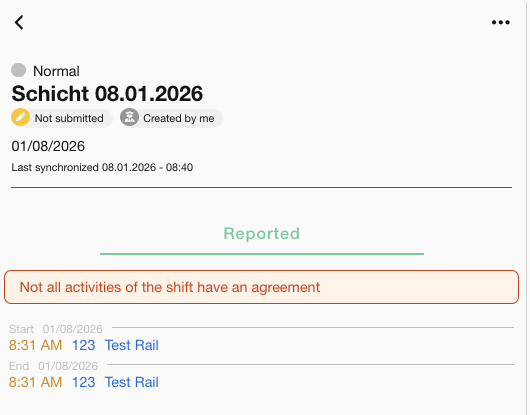
If a shift is submitted without a contract or cost center, WILSON will display a clear warning in the mobile app. Submitting the shift is blocked until all required fields have been completed.
This feature improves data quality and ensures that all shift data is immediately available for payroll export and service invoicing – without the need for manual follow-up.
App: Simplifications in live shift recording
We have revised the process for recording a live shift and added new features that make it easier for mobile app users to record their shifts even faster and more accurately.
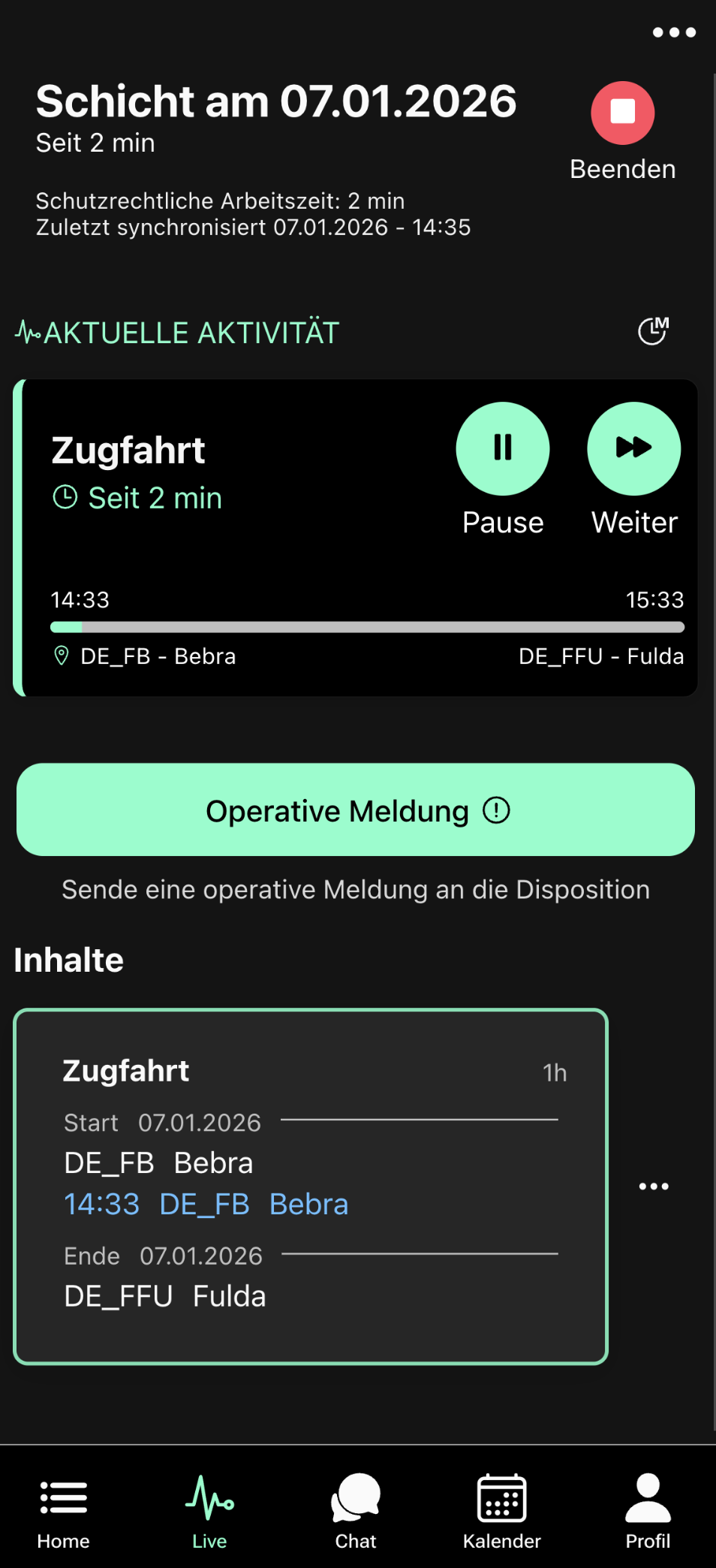
- Exact start times at the beginning of the shift
- New option: Start next activity
- Freely set the start time when switching to the next activity
- Simple user interface
Further information can be found here.
New invoice statuses: ‘Sent’ and ‘Reminder’

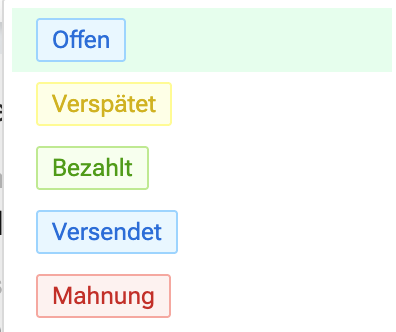
To simplify the management and overview of invoices, we have introduced two new statuses. Open invoices can now be set to ‘Sent’ or ‘Reminder’.
Automatically mark invoices as ‘Overdue’
The option can be activated under the ‘Invoices’ tab in the company settings. When activated for the first time, all invoices with the status ‘Open’ or “Sent” are automatically set to ‘Overdue’ if the payment deadline has passed.
The system checks every day whether there are any open invoices whose payment deadline has expired and updates the status accordingly.
Upcoming features we’re working on 🏗️
- Setting which values of activities can be edited in the mobile app
- New KPIs for your orders on the project
- ... and more.
If you have questions or feedback about the new features, our support team is happy to help.
Enjoy the improvements!