
Minimum rest time between shifts
The setting "Minimum rest time between two shifts" makes sure that employees get enough rest between shifts before they can start the next one. This check helps prevent employees from starting a shift too early when the required rest period has not been met.
This applies especially to employees who start and end shifts in the mobile app.
The three possible states when starting a shift
✅ Start allowed
The previous shift was never started, has no reported times, ended long enough ago, or does not exist at all. In these cases, no actual rest period violation is possible. The shift can be started without any message.
What matters is always the reported (actual) end time of the previous shift, not the planned time.
⛔ Start blocked
The previous shift has a reported end time, and the time between that end time and the start time of the current shift is shorter than the configured minimum rest period.
→ The start of the current shift is blocked.
→ The app shows the message: "Rest time since last shift too short! Please contact your dispatcher."
⚠️ Warning
The planned gap between the end of the current shift and the planned start of the next shift is smaller than the minimum rest period.
→ The app shows a warning, but does not block the start.
→ The app shows: "Insufficient rest time before your next shift! Please contact your dispatcher."
→ This is a planning issue, and the dispatcher needs to correct the schedule.
💡 Note: The warning for the next shift does not block the start. Only an actual rest period violation caused by a completed previous shift leads to a block.
Practical examples
Example 1: Earlier end, rest time is sufficient
- Shift A: planned end 3:00 PM, actual end 2:12 PM
- Shift B: planned start 5:16 PM
- Minimum rest period: 150 minutes
- Actual rest time: 5:16 PM − 2:12 PM = 184 minutes ✅
→ Starting Shift B is allowed because the actual end time is used.
Example 2: Rest time is actually too short
- Shift A: actual end 2:12 PM
- Shift B: planned start 5:16 PM
- Minimum rest period: 300 minutes
- Actual rest time: 184 minutes ⛔
→ Starting Shift B is blocked.
Where is this setting managed?
This setting is managed by the administrator in the portal, not by employees in the mobile app. The administrator:
- defines the required minimum rest period in the working time regulations under Minimum rest time between two shifts in Settings > Working time regulations.
- enables the mandatory check using the switch “Check minimum rest period between two shifts” under Settings > Company settings > Mobile app.
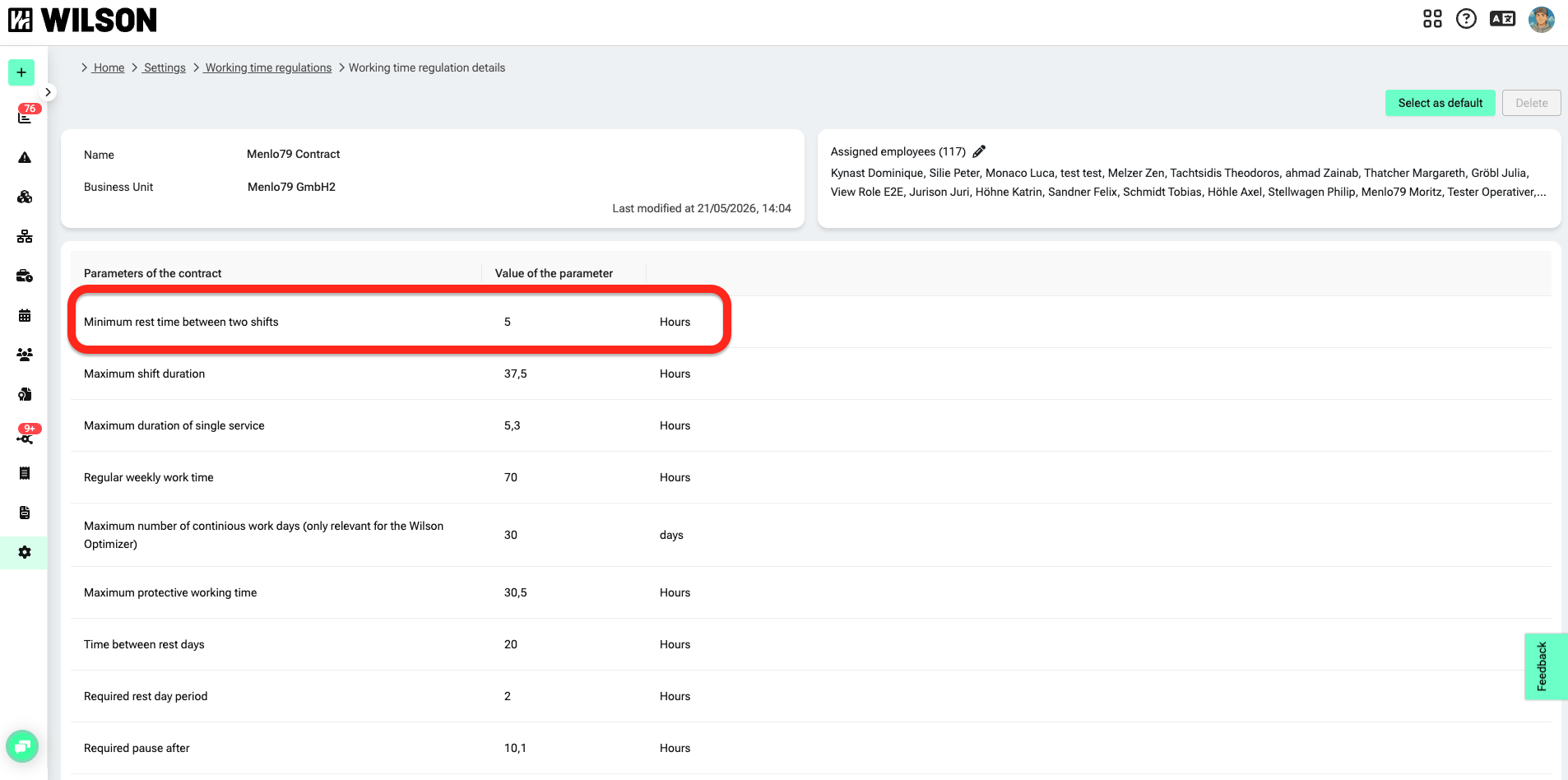
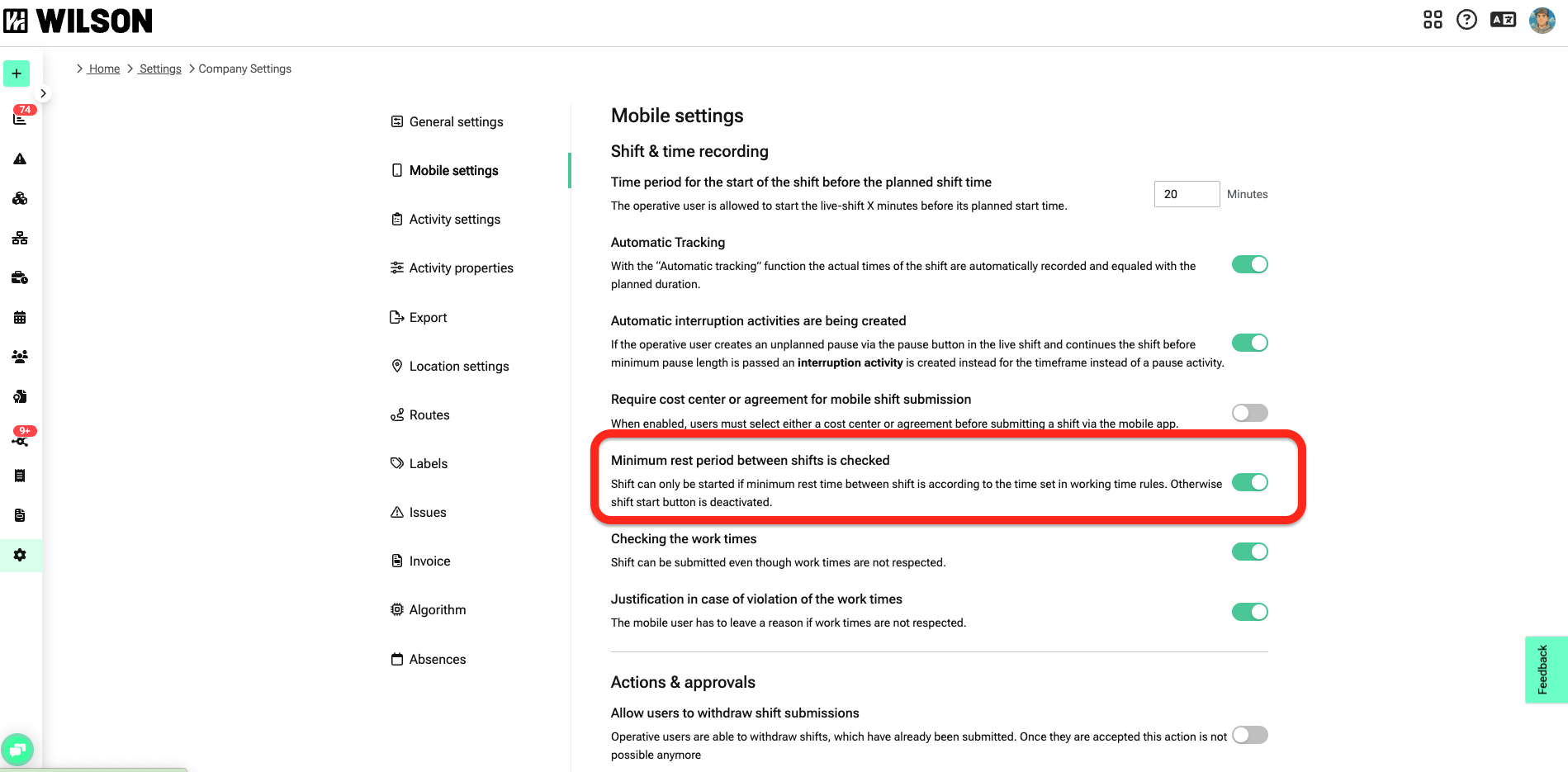
If this value is changed, the app uses the updated rule when checking whether a shift can be started.
When does the minimum rest check apply?
Situation | App behavior |
|---|---|
Previous shift never started, no reported times | Start allowed, no message |
Previous shift completed, rest period sufficient | Start allowed, no message |
Previous shift completed, rest period too short | Start blocked + error message |
Next planned shift starts too soon, planning issue | Warning shown, but start is still possible |
FAQ
Why can’t I start my shift even though I got enough sleep?
The app checks the reported end time of your last shift. If that end time is too recent, the start is blocked. Contact your dispatcher if you think this is wrong.
What does the warning “Insufficient rest time before your next shift” mean?
This warning means that the planned break before your next shift is too short. You can still start the current shift. Your dispatcher should adjust the schedule.