
WILSON Release Notes - R26.4
Hello WILSON users 👋
This release note provides a brief summary of recent product updates and new features.
📦 This release includes:
- Mobile App: Update working time dashboard
- New sidebar for editing activity properties
- Billing: Invoice attachment now sortable by shift
- Attach shift reports even after submission
Mobile App: Update working time dashboard
The new version of the app includes an important change to the working hours home widget and dashboard: under ‘Worked’, it now displays not only the hours accepted in the portal, but all hours submitted. This way users can see immediately where they stand for the current month after reporting a shift.
New sidebar for editing activity properties
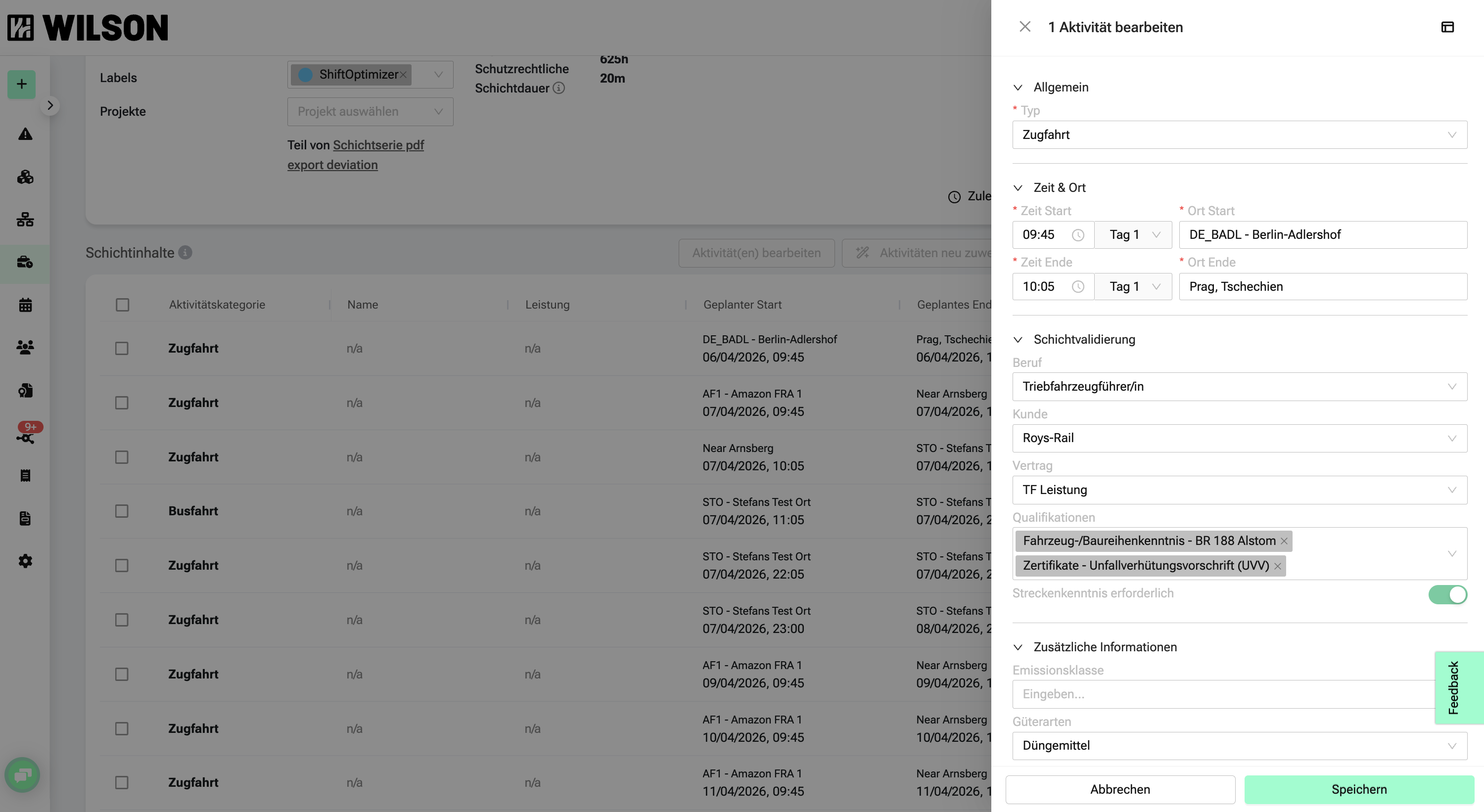
Previously, activity properties could only be edited in a limited way. Now, all relevant properties can be directly edited in a sidebar on the shift detail page – for individual activities or multiple at once.
For a single activity, open the sidebar by clicking the corresponding row in the activity table. For multiple activities, first select them using checkboxes, then edit via “Edit Activities”.
Which activity properties are available in the sidebar is controlled under Settings > Company Settings > Activity Properties.
Billing: Invoice attachment now sortable by shift
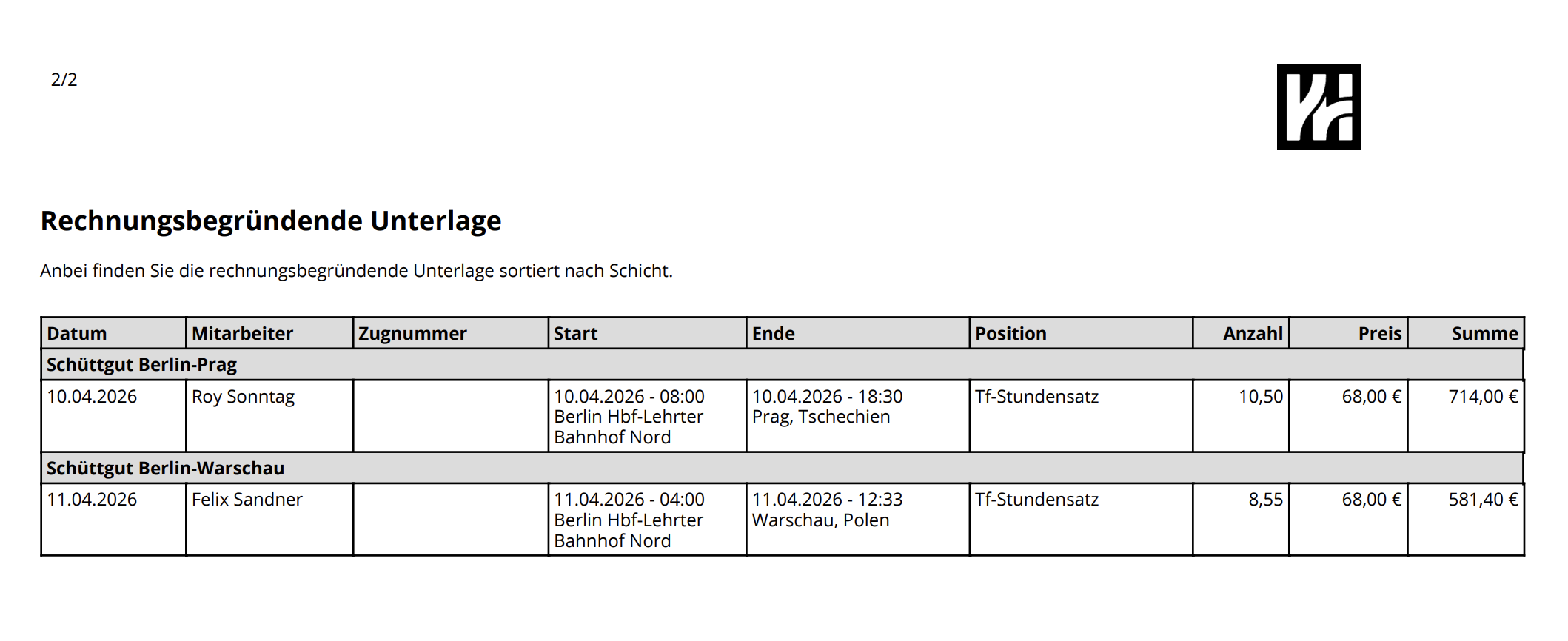
The invoice attachment can now be output shift-based. The setting is found under Settings > Company Settings > Invoices > Invoice Attachment Type. There, the “Shift-based” option can be selected.
In the billing overview, selected activities are displayed sorted by shifts and date. The billing-relevant content is broken down according to the respective billing rules.
Attach shift reports even after submission

Previously, on mobile shift reports had to be added before submitting the shift. Missing signatures often delayed payroll.
Now, shift reports can be attached to already submitted shifts on mobile. The feature is available in the three-dot menu top right of the shift under “Attach shift report”. There, photos can be taken, selected, or files uploaded (JPEG, PNG, PDF). Existing attachments can be viewed, downloaded, or deleted.
Upcoming features we’re working on 🏗️
- Deutsche Bahn compliant e-invoice billing
If you have questions or feedback about the new features, our support team is happy to help.
Enjoy the improvements!