
WILSON Release Notes - R26.9
Hello WILSON users 👋
This release note provides a brief summary of recent product updates and new features.
📦 This release includes:
- Export for absences
- MVP – Real-time collaboration (Closed Beta)
- Greater flexibility when activating WILSON modules
- Activity categories: New warning messages when saving
- Archive projects
- Only relevant changes now automatically revoke shift approval
- Individually configurable ‘Entries per page’ setting remains saved
- Shift timeline: Shift search now also available for the employee area and improved readability of long project names
- Invoice attachment setting now available per customer
- No more unwanted browser translations
- Shift attachments in the portal: Upload multiple files simultaneously
Export for absences
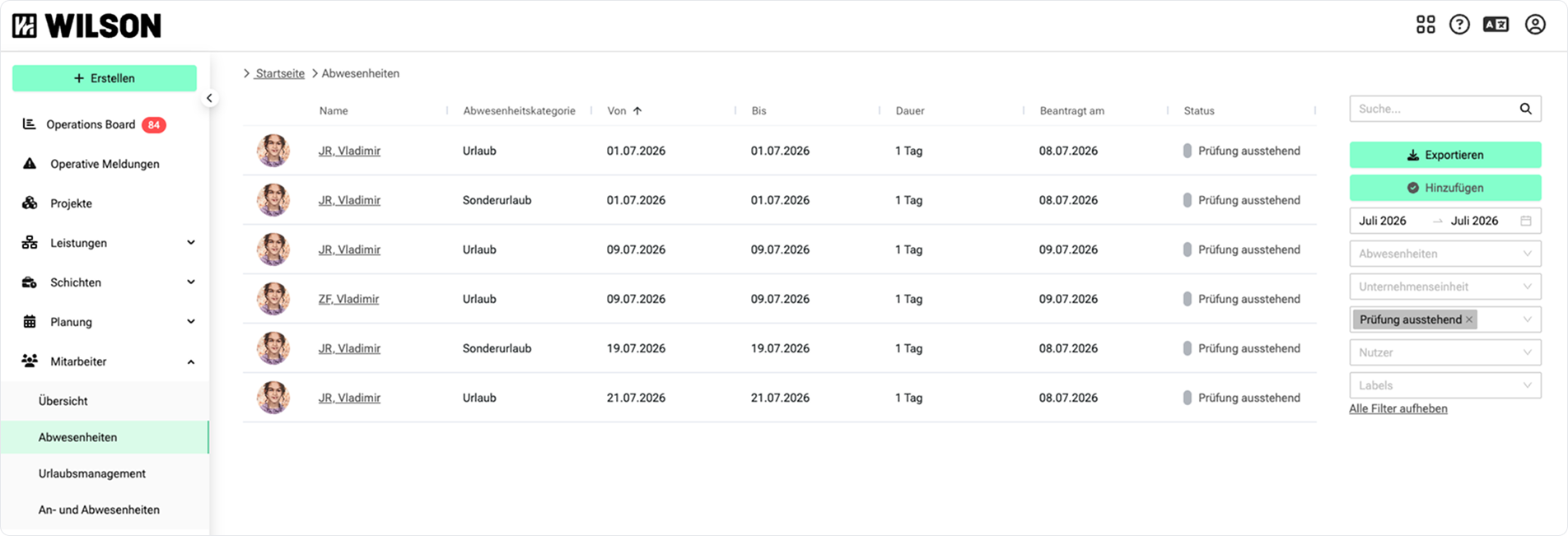
On the Absence List page, you can now export your data directly. Simply set the filters you want – e.g. time period, user, status or absence type – and click on “Export”. The data will then be exported according to your filter selection.
MVP – Real-time collaboration (Closed Beta)
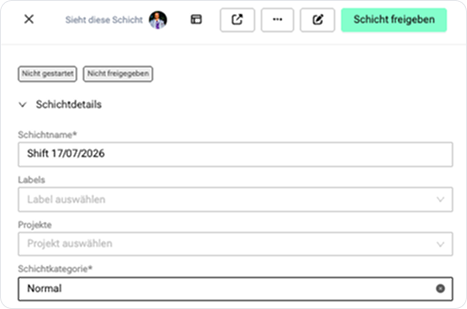
The closed beta of real-time collaboration is now launching for a select group of customers. From now on, you’ll be able to see which other users from your organisational unit are currently logged into WILSON – only users you have access to will be displayed.

If another user has just opened the same shift as you and is editing it, you will see a notification on the shift details page or in the shift drawer stating that User X is also currently viewing the shift. This helps to prevent two users from unwittingly working on the same shift at the same time.
Greater flexibility when activating WILSON modules
We have expanded our feature management to allow you to enable or disable individual modules even more precisely for each customer. From now on, features such as the Operation Board, Operational Reports, the live shift view in the mobile app, vehicle management, Wilson AI and others can be switched on or off independently of one another – without affecting the rest of your setup.
If you’re interested in adjusting your feature configuration, please feel free to contact your Customer Success representative. We’ll discuss together which setup best suits your requirements.
Activity categories: New warning messages when saving
When customising activity categories in the company settings, WILSON now clearly indicates that changes may affect payroll, invoicing and statutory working hours. Before saving, an overview shows which categories have been added or removed — allowing you to review and confirm changes with full awareness.
Archive projects
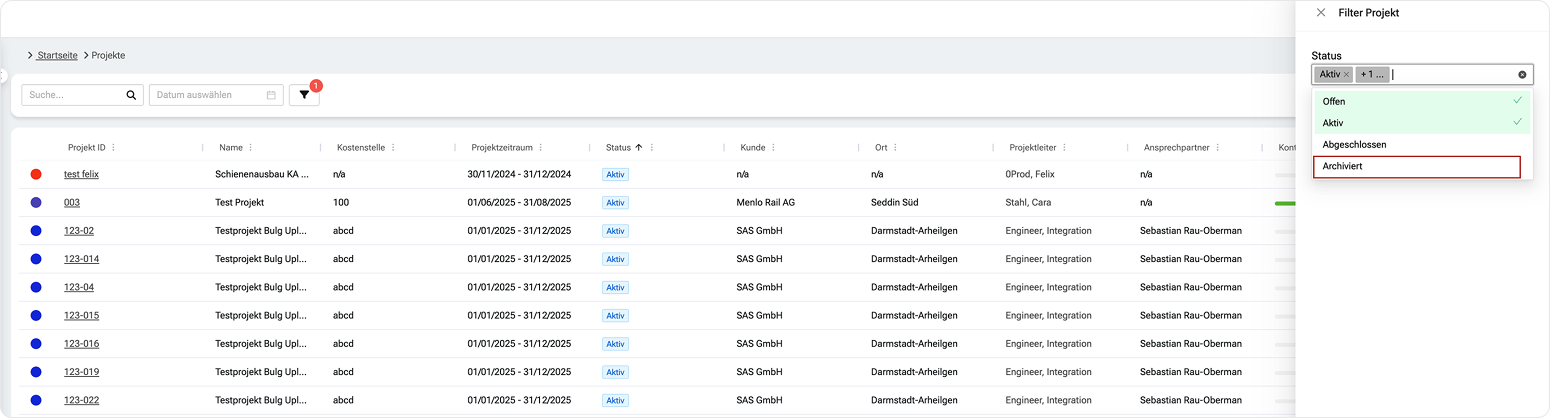
Projects that are no longer actively used can now be archived by setting their status to ‘archived’ on the project details page. In the project overview, archived projects can be hidden using the filter settings if desired. Archived projects no longer appear in the selection in any part of WILSON where a project can be selected, for example in a shift.
Only relevant changes now automatically revoke shift approval
Previously, if minor adjustments were made to an approved shift – for example, to the shift name – it would automatically be reset to ‘not approved’. In future, the shift name and ‘Further information’ can be edited without the shift approval being reset, and without the shift having to be manually approved again.
Shift approval will still be revoked following the following changes:
- Organisational unit
- Assigned employee
- All activity-related fields (date, time, location, etc.).
Individually configurable ‘Entries per page’ setting remains saved
Previously, the setting for how many items to display per page would be reset after every page change or refresh. From now on, WILSON will remember your chosen number – even if you change pages or refresh the page. This applies to the shift overview, invoice overview, project list and other list views.
Shift timeline: Shift search now also available for the employee area and improved readability of long project names
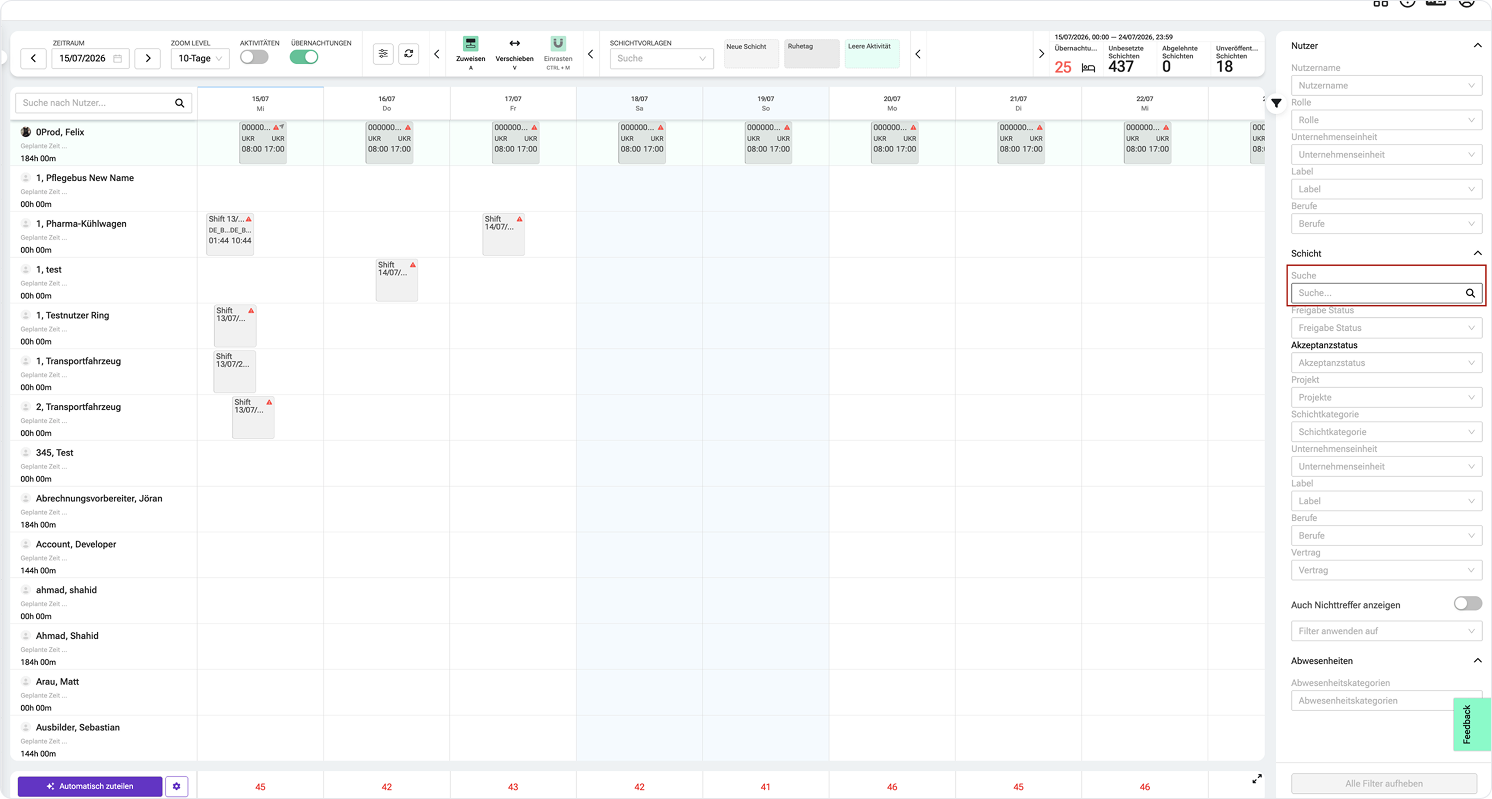
Until now, the shift search in the shift timeline was only available for unassigned shifts. From now on, you can also search for shift names in the assigned section – directly via the new ‘Shift Search’ field in the filter bar on the right. Enter a shift name into the search field and all matching shifts will be displayed on the timeline.
Here’s how it works:
- Go to the shift timeline
- Click on the filter icon in the top right-hand corner
- Enter a shift name in the ‘Shift Search’ field
Until now, long project names were cut off in the hover tooltip on the shift timeline and were almost impossible to read. From now on, project names in the tooltip will be wrapped across up to two lines to improve readability.
Invoice attachment setting now available per customer
Previously, the invoice attachment setting (PDF export and layout of the invoice-supporting document) always applied globally to the entire company unit. From now on, you can override it individually for each customer. If a customer has no override, WILSON automatically falls back to your company unit's default setting.
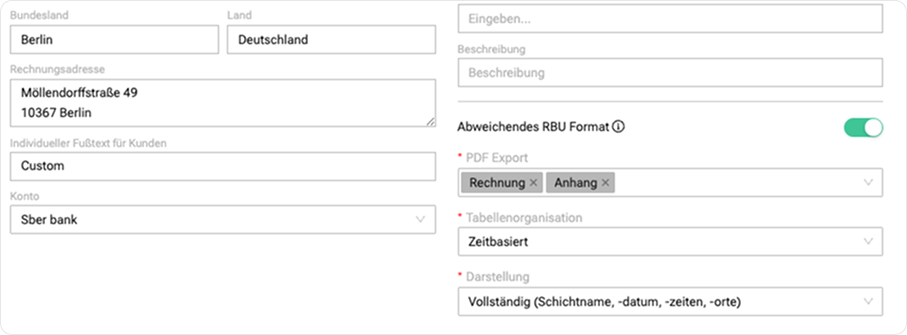
You can find the customer-specific setting in the respective customer profile under Settings → Business Relations.
No more unwanted browser translations
Until now, some browsers have automatically translated WILSON, even though the interface was already set to German. This led to incorrect labels. WILSON now provides the browser with the correct language code, so that automatic translation is no longer triggered. The interface remains as intended.
Shift attachments in the portal: Upload multiple files simultaneously
Until now, you could only attach one file to a shift per upload. From now on, you can select several files at once and upload them in a single step: ideal when several documents belong to the same shift.
Upcoming features we’re working on 🏗️
- Exports for absences (Absence list page & Leave management)
- Revised screens and workflows for submitting absences in the mobile app
If you have questions or feedback about the new features, our support team is happy to help.
Enjoy the improvements!