
Invoice Note - add additional details to your invoices
The invoice note is an optional text field available when creating or editing an invoice. You can use it to enter a reference number, an internal comment, or any other short note, for example, the invoice number from your external billing system.
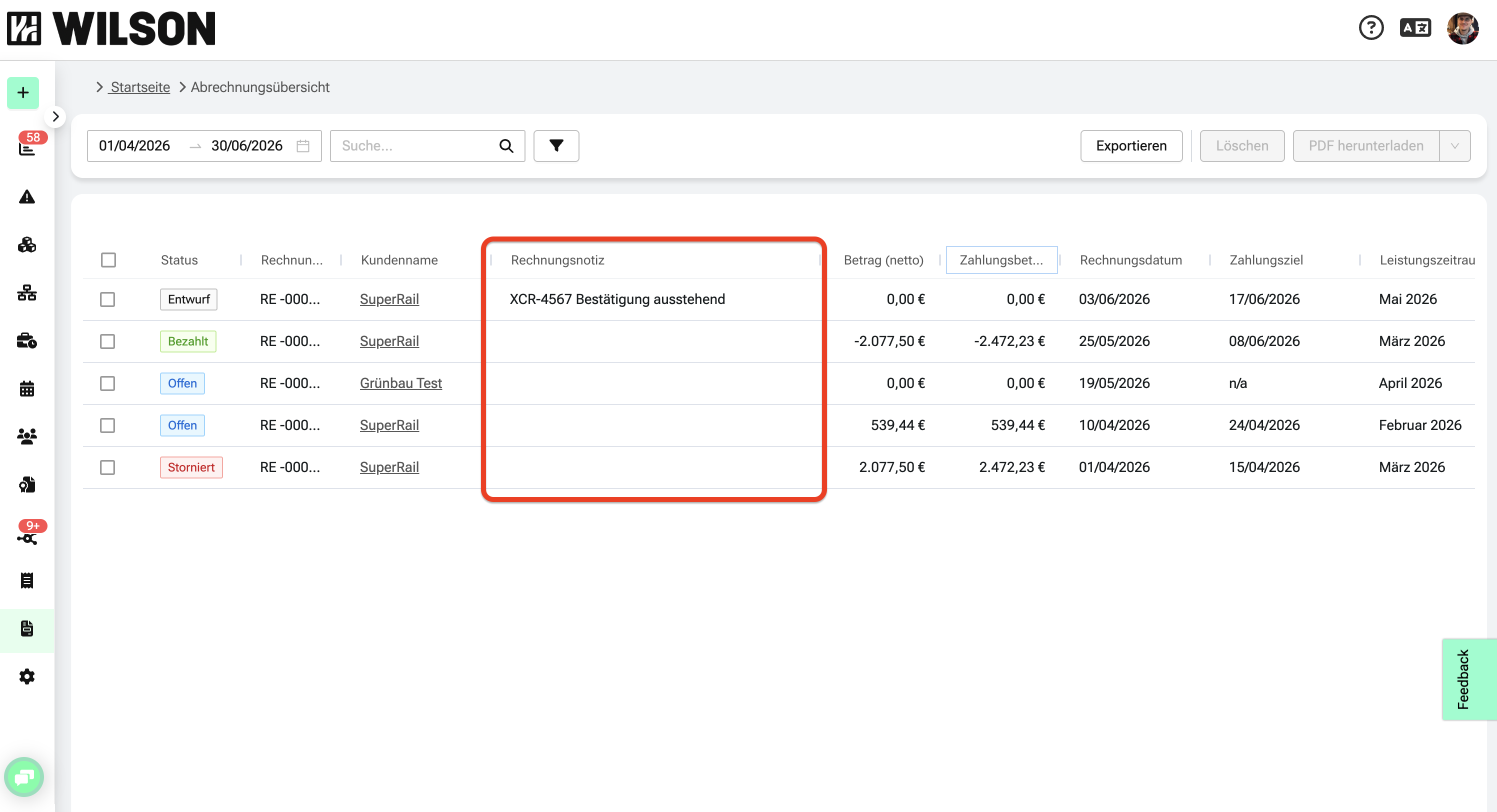
The note appears as a dedicated column in the invoice overview, making it easy to find and match invoices at a glance.
When to use the invoice note
The invoice note is especially useful when you work with an external billing system alongside WILSON.
- Enter a reference number from your external system to match invoices across tools
- Add internal notes, project codes, or cost center references
- Quickly identify invoices in the overview without opening each one
- Replace the previous manual invoice number override for cross-system matching
How to add an invoice note
When creating a new invoice
- Go to Billing > Invoices.
- Click Create new invoice.
- Fill in the required invoice fields.
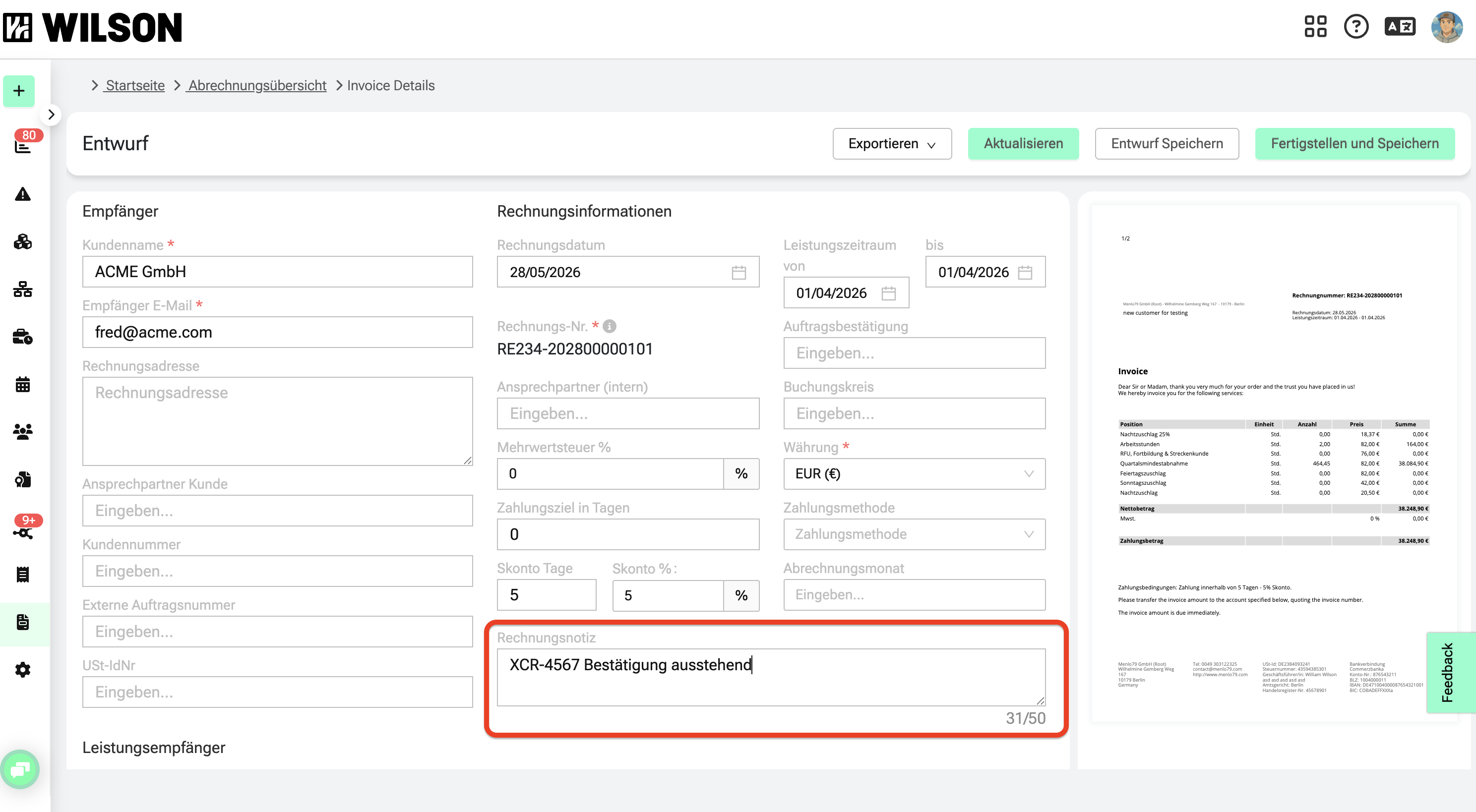
- Enter your note in the Invoice note field (max. 50 characters).
- Click Save.
When editing an existing draft invoice
- Go to Billing > Invoices.
- Click on the invoice in the overview to open it.
- Click Edit.
- Enter or update your note in the Invoice note field (max. 50 characters).
- Click Save.
Invoice note in the overview
Once saved, the invoice note appears in a dedicated column in the invoice overview. By default, the column is placed at the far right of the table — you can reposition it to suit your workflow.
Screenshot suggestion: Invoice overview table with the "Invoice note" column visible and a sample value like "EXT-2024-0042".
💡 Note: The invoice note replaces the previous option to manually override the invoice number. If you used that feature to match WILSON invoices with your external billing system, simply enter your reference in the Invoice note field going forward.
Frequently asked questions
Can I edit the invoice note after an invoice has been finalized?
No. The field is only available for invoices in draft status. Once an invoice is finalized, the note can no longer be changed.
Does the invoice note appear on the invoice document itself (e.g. as a PDF)?
No. The invoice note is an internal management field. It appears in the overview and detail view only — not on the printed or exported invoice document.
Is there a required format or minimum length?
No. It's a free text field and completely optional. You can use numbers, letters, or special characters in any format you like.
What happens to my existing invoices?
Existing invoices are not affected.