
Project Overview And Hour Contingents
Purpose and value
This manual explains how to use the extended project overview in WILSON to keep full control over recorded hours, open contingents, and orders that have not yet been invoiced. The functionality supports you in managing construction projects reliably, preparing billing processes, and identifying budget risks at an early stage.
Accessing the project area
After logging into WILSON, navigate to the Projects section. Here you will find a tabular overview of all projects you are authorized to access. This view serves as the central control panel for both ongoing and completed construction projects.
Within the project list, the following information is displayed:
- Project ID
- Project name
- Cost center
- Project period
- Hour contingent
Understanding the hour contingent
The hour contingent aggregates all hours ordered across the individual orders within a project. It shows you:
- the total number of hours ordered for the project,
- how many of those hours have already been recorded,
- whether and to what extent remaining contingents are still available.
Recorded hours are visually highlighted, allowing you to immediately see whether the ordered volume has already been fully utilized or whether capacity is still available.

Showing and hiding columns
Using the column settings in the project overview, you can flexibly adapt the display to your needs. Depending on your focus, you can choose to show:
This targeted filtering helps you quickly identify open services and outstanding billing steps without switching between different views.
Working at project level
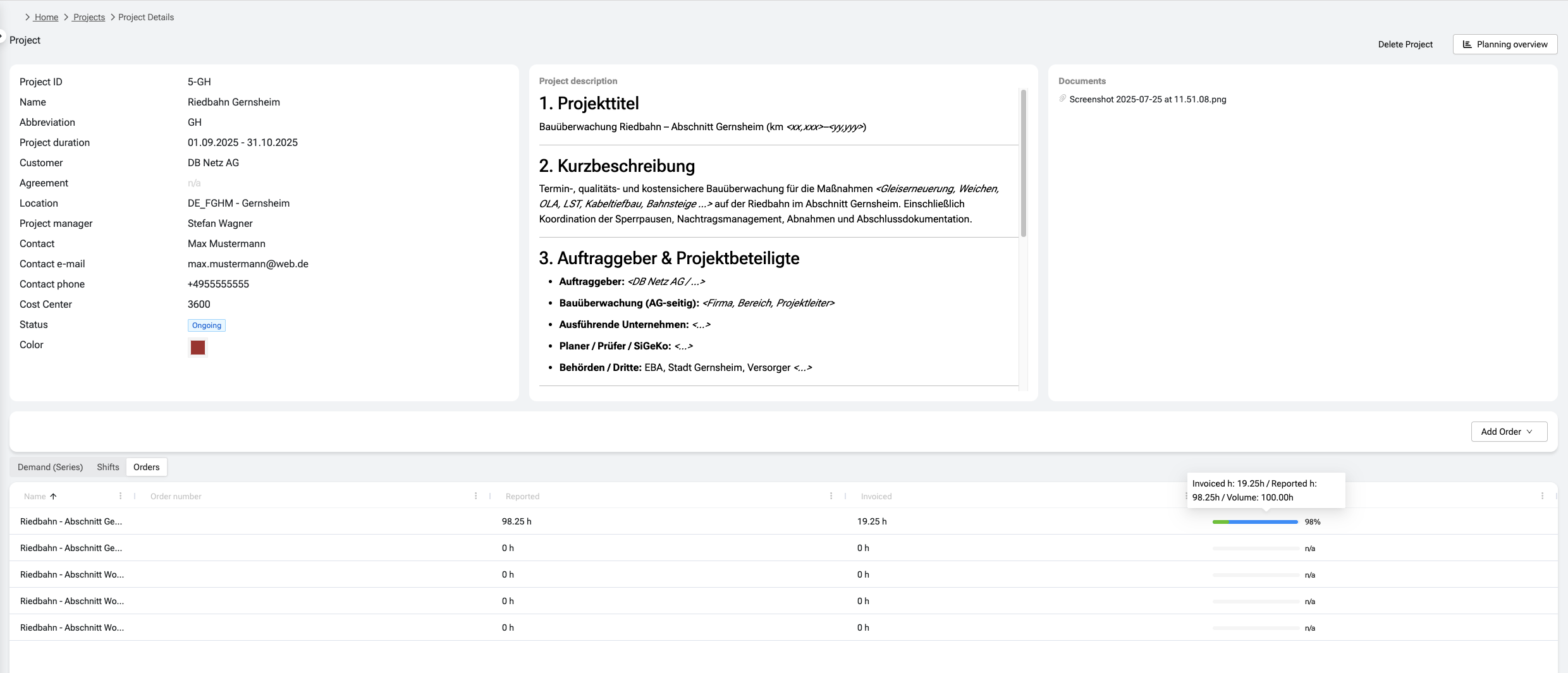
By selecting a project, you open the detailed project view. This view lists all orders assigned to the project. Each order is displayed separately, allowing you to clearly understand the project structure and the underlying commitments.
At project level, the overview is primarily used to gain a holistic picture and to detect irregularities early on – for example, a high number of recorded hours combined with low or missing invoicing.
Working at order level
When you open a specific order within a project, you gain a detailed view of:
- the number of reported hours,
- the number of hours already invoiced,
- the current status of the associated contingent.
This makes it easy to identify hours that have already been worked but not yet billed. Open billing items can therefore be prepared and prioritized in a targeted manner.
Typical use cases
The project and order overview is particularly useful for the following tasks:
- monitoring which hours are still open and which have already been invoiced,
- preparing invoices for clients,
- controlling budgets and ordered hour contingents,
- reducing follow-up questions between site management, scheduling, and billing teams.